
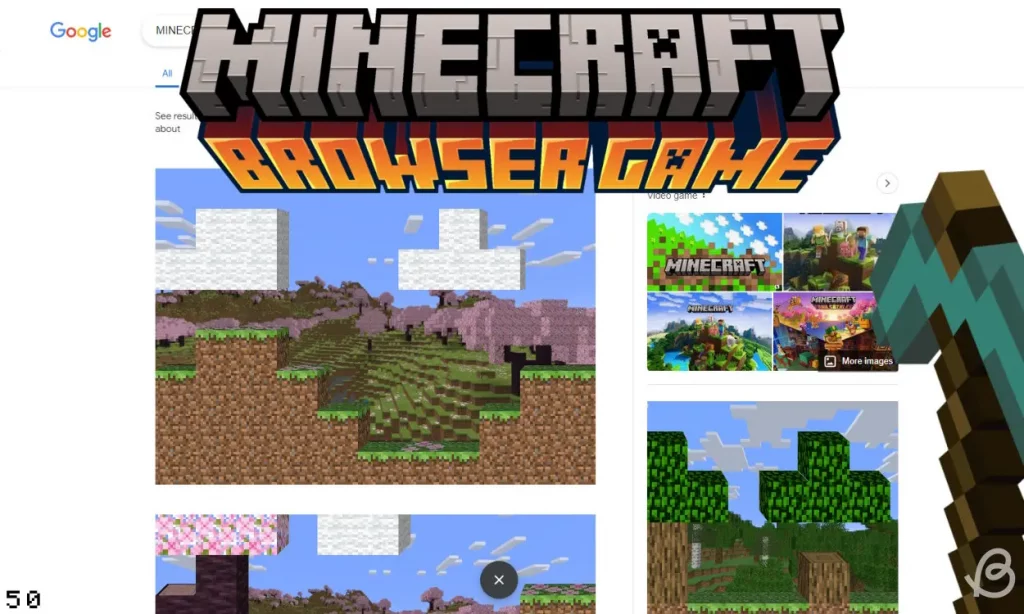

Eaglercraft Review: Play Minecraft in Your Browser, No Download Required
Imagine playing Minecraft on a school Chromebook during lunch break, or on your phone during a commute, or on any computer without needing to install anything or own a Mojang account. That’s exactly what Eaglercraft (eaglercraft.com) delivers—a browser-based port of Minecraft Java Edition that runs on virtually any device with a web browser, from smartphones to smart fridges.
What Is Eaglercraft?
Eaglercraft is an open-source project created by developer LAX1DUDE that ports Minecraft Java Edition (versions 1.5.2, 1.8.8, and 1.12.2) to run directly in web browsers using JavaScript and WebAssembly. Through sophisticated ahead-of-time compilation using TeaVM and a custom OpenGL emulator, Eaglercraft translates Minecraft’s original Java code into browser-compatible formats, allowing the full game to execute within a browser tab.
Launched in 2021-2022, the project exploded in popularity on TikTok, where users shared how to play Minecraft on restricted devices like school Chromebooks. Millions of players have since experienced Eaglercraft, particularly during school hours when traditional gaming is blocked.
How Eaglercraft Works
The technical achievement behind Eaglercraft is remarkable. Rather than creating a Minecraft-inspired clone, LAX1DUDE actually ported the real Java game to JavaScript/WebAssembly through three key technologies:
- TeaVM Compilation: Converts Minecraft’s Java bytecode into JavaScript ahead-of-time, creating a massive JavaScript file containing the complete game logic
- WebAssembly with Garbage Collection (WASM-GC): Newer builds offer up to 50% higher FPS by using WebAssembly for better performance
- Custom OpenGL Emulator: Maps Minecraft’s 3D rendering to WebGL operations on HTML5 canvas, enabling graphics without native OpenGL support
The result: authentic Minecraft gameplay that requires only a modern browser.
Available Versions
Eaglercraft offers several Minecraft versions:
- Eaglercraft 1.5.2: Based on Minecraft 1.5.2, ideal for low-end devices, focuses on multiplayer
- EaglercraftX 1.8.8: Most popular version, includes singleplayer mode, survival/creative/hardcore modes, improved performance, advanced combat mechanics
- Eaglercraft 1.12.2: Newer version with additional features but higher system requirements
Most players gravitate toward EaglercraftX 1.8.8 for its balance of features and performance.
Key Features
Zero Installation Required
Simply visit the website and start playing. No downloads, no software installation, no official Minecraft purchase needed. This makes Eaglercraft perfect for restricted environments where software installation is prohibited.
Singleplayer and Multiplayer Modes
EaglercraftX 1.8.8 supports full singleplayer experiences with survival, creative, and hardcore modes. You can also connect to Eaglercraft multiplayer servers or even join regular Java Minecraft 1.8.8 servers through proxy plugins like Wispcraft.
Browser Save States
World saves are stored in your browser’s local storage, allowing you to continue where you left off (unless you clear browser data).
Universal Device Compatibility
Eaglercraft runs on:
- Windows, Mac, Linux computers
- Chromebooks (the primary target audience)
- iOS and Android phones/tablets
- Any device with WebGL support
Custom Clients Available
The community has created modified clients including:
- Resent Client: Includes quality-of-life and PvP mods similar to Lunar Client
- Shadow Client: Performance optimizations and additional features
- Precision Client: Enhanced gameplay modifications
Warning: Only download clients from trusted sources like the official Eaglercraft site or verified GitHub repositories, as some unofficial versions contain malware.
Performance Optimization Tips
To get the best Eaglercraft experience:
- Use Chrome or Edge: Chromium browsers offer the best performance, especially for WASM-GC builds
- Enable WASM-GC: If your browser supports it, this can nearly double your FPS
- Lower Render Distance: Reduce view distance for smoother gameplay on slower devices
- Close Other Tabs: Free up browser resources for better performance
- Choose Optimized Builds: Some hosting sites offer “Optimized” versions specifically tuned for performance
The School Connection
Eaglercraft’s popularity exploded specifically because it solves a problem millions of students face: restricted school computers. Chromebooks deployed in educational settings typically block game downloads and websites, but Eaglercraft’s browser-based nature often slips through filters.
Peak gameplay hours occur during school lunch breaks and afternoon hours, with dedicated school-focused Eaglercraft servers becoming social hubs for student communities.
Popular Eaglercraft Servers
Several community servers have become favorites:
- ArchMC
- RagePvP Network
- VanillaMC
- NEXO
- Voidsent MC
- Mytheria
- WanderwoodSMP
Each server offers unique gameplay styles from survival to PvP to creative building.
Strengths
- Completely Free: No purchase or subscription required
- Zero Download: Instant access from any browser
- Low-Spec Friendly: Runs on devices that can’t handle regular Minecraft
- Unblocked Access: Works on restricted networks
- Open Source: Community can examine, modify, and improve code
- True Minecraft: Not a clone—actual ported game code
- Multiplayer Support: Social gameplay with custom servers
- Cross-Platform: Play on literally any device with a browser
- No Account Needed: Skip Mojang/Microsoft login requirements
Limitations and Concerns
Legal Gray Area
The biggest concern: Eaglercraft operates in legally questionable territory. While the emulation technology itself may be legal, distributing a playable version of Minecraft without Mojang/Microsoft authorization likely violates copyright and trademark protections. Microsoft has historically been aggressive in protecting Minecraft IP.
LAX1DUDE released Eaglercraft as an open-source project primarily as a technical achievement and learning tool, but widespread gameplay use raises legal questions.
Technical Limitations
- Performance Caps: Even optimized, browser-based gaming can’t match native Minecraft performance
- Limited Versions: Only 1.5.2, 1.8.8, and 1.12.2 available—no modern Minecraft features
- No Music: Minecraft’s soundtrack isn’t included by default (file size and copyright)
- Browser Storage Limitations: World saves limited by browser cache constraints
- Safari Incompatibility: WASM-GC doesn’t work on Safari as of 2025
- Potential Crashes: Browser-based gaming is less stable than native applications
Security Risks
Public Eaglercraft servers come with risks:
- DMCA takedown potential
- Unmoderated chat environments
- Some community forks contain malware
- Server reliability varies widely
Always use official or verified Eaglercraft sources, never download from unknown sites.
Ethical Considerations
Before using Eaglercraft, consider:
- Supporting Developers: Mojang/Microsoft created Minecraft—purchasing it supports continued development
- Accessibility Argument: For students on locked-down devices or people unable to afford $30, Eaglercraft provides access
- Technical Achievement: The project showcases impressive programming skill and serves as an educational tool
- Legal Risk: Using unauthorized game copies could theoretically result in legal issues (though enforcement against individual players is rare)
Legitimate Alternatives
If you want legal Minecraft access:
- Minecraft Java Edition: $26.95, full features, official support
- Minecraft Bedrock Edition: Available on consoles, mobile, Windows 10
- Minecraft Education Edition: Free for eligible students through schools
- Minecraft Classic: Official free browser version of original 2009 creative mode
Who Should Use Eaglercraft?
Eaglercraft serves specific use cases:
- Students on Restricted Devices: Those with Chromebooks or locked computers
- Technical Enthusiasts: Those interested in emulation and game porting as a technical feat
- Casual Players: People wanting to try Minecraft before purchasing
- Travelers: Quick gameplay on borrowed or public computers
- Low-Spec Users: Those whose devices can’t run regular Minecraft
Final Verdict
Eaglercraft represents an impressive technical achievement—successfully porting a complex 3D game to run entirely in web browsers is no small feat. For its target audience of students on restricted devices, it provides access to Minecraft gameplay that would otherwise be impossible.
However, the legal and ethical concerns cannot be ignored. While LAX1DUDE’s creation showcases remarkable programming skill and serves educational purposes, widespread use for everyday gaming raises copyright questions that haven’t been fully resolved.
If you have the means, purchasing official Minecraft supports the developers and ensures you’re on solid legal ground. But for those situations where official Minecraft isn’t accessible—locked school computers, devices that can’t run the game, or simply testing before buying—Eaglercraft fills a genuine need.
Just be aware of what you’re accessing, where you’re downloading from, and consider supporting Mojang/Microsoft if Eaglercraft convinces you that Minecraft is worth playing.
Rating: 3.5 out of 5 stars
Best for: Students on restricted devices, trying Minecraft before buying, low-spec device owners, quick casual gameplay
Price: Free (raises legal concerns)
Website: eaglercraft.com
Note: Consider supporting official Minecraft if you enjoy the game. Be cautious about malware in unofficial Eaglercraft versions.