
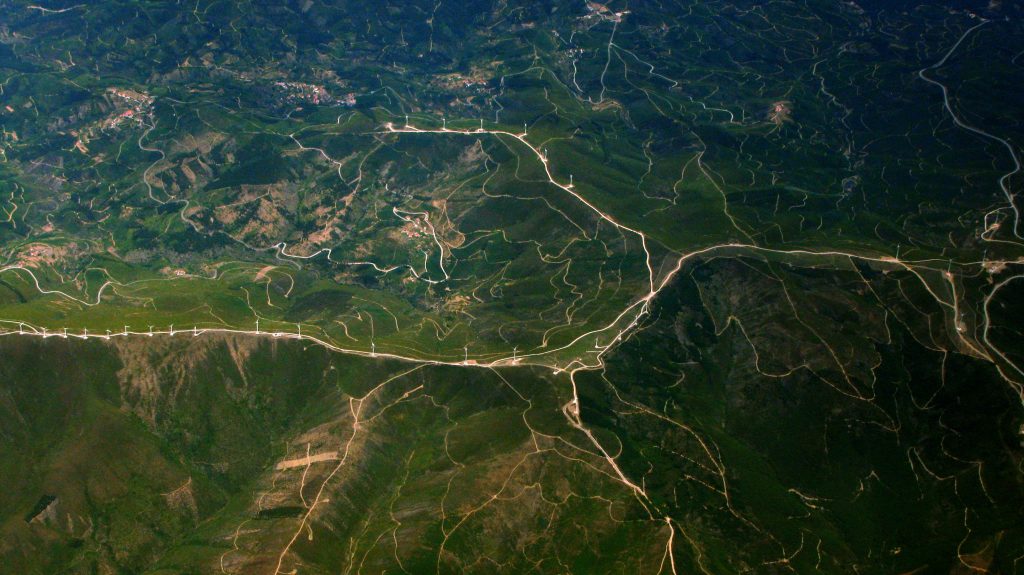

A comprehensive review of geo-fs.com — the remarkably capable, browser-based flight simulator powered by real satellite imagery that has kept aviation enthusiasts and curious learners airborne since 2010
| Website | geo-fs.com |
| Developer | Xavier Tassin |
| Founded | 2010 (as GEFS / Google Earth Flight Simulator) |
| Cost | Free (HD imagery subscription: ~$12/year) |
| Aircraft Available | 30+ official; 100+ with community add-ons |
| Technology | Browser-based (CesiumJS, HTML5) |
| Multiplayer | Yes — global, hundreds online at any time |
What Is GeoFS?
GeoFS is a free, browser-based flight simulator that accomplishes something genuinely remarkable: it lets you fly any aircraft, anywhere in the world, without installing a single piece of software. Born in 2010 as GEFS — originally built on Google Earth’s plugin — the simulator made a pivotal transition in 2016 to CesiumJS, an open-source virtual globe framework, after Google Earth’s browser plugin was discontinued. The result is a platform that has only grown more impressive with age.
The entire planet is your runway. Select a starting location anywhere on Earth, choose from dozens of aircraft, and take to the skies over photo-realistic satellite imagery. Want to buzz the Grand Canyon in a Piper Cub, fly the approach into Tokyo’s Haneda Airport in a Boeing 737, or take a Concorde supersonic across the Atlantic? GeoFS makes all of it possible — for free, in a browser tab.
Aircraft Selection
GeoFS ships with over 30 officially developed aircraft covering a compelling range of performance envelopes. From slow and forgiving trainers to demanding high-performance jets, the selection caters to beginners and seasoned sim pilots alike. Community-contributed aircraft push the total beyond 100 when add-ons are included.
Flight Model & Physics
For a free browser application, GeoFS’s flight model is surprisingly sophisticated. Physics are based on real aerodynamic laws — lift, drag, stall behavior, and ground effects are all simulated. Instruments in the newer aircraft are fully functional and accurate, and the most advanced models feature complete virtual cockpits. Real-time weather data from METAR sources means the wind, clouds, fog, and turbulence you encounter actually reflect conditions at your chosen location on Earth.
A retired airline pilot who reviewed GeoFS described the simulator’s flight dynamics and VFR environment as an excellent training aid, noting its ease of access and realistic controls. Aerobility, a UK charity that teaches disabled people to fly, has integrated GeoFS into its Virtual Aviation Experience program — a testament to how seriously the platform takes realism and accessibility.
Multiplayer & Community
GeoFS is a living world. With global multiplayer enabled, hundreds of other pilots are typically online at any given moment, visible as other aircraft in your vicinity. An optional ADS-B feed overlays real-world commercial traffic, meaning you can witness actual airline flights happening around you in real time as you fly. Community Discord servers provide voice communication for group events, formation flying, and air traffic control roleplay.
Pricing
FREE TIER
Standard 10m/pixel global satellite imagery. All aircraft, multiplayer, weather, and navigation tools included. Excellent starting point.
HD SUBSCRIPTION
High-definition 1m/pixel satellite imagery. AI-enhanced visuals. Essential for low-altitude VFR flying and the most realistic visual experience.
Pros & Cons
✓ Pros
- Completely free to use — no download, no install
- The entire world available to fly in
- 30+ aircraft with 100+ community add-ons
- Global multiplayer with hundreds of live pilots
- Real-time METAR weather at any location
- ADS-B real commercial traffic overlay
- Works on Chromebooks, tablets, any modern browser
- HD subscription is affordable at ~$12/year
- Actively developed with regular updates
✗ Cons
- Free tier imagery quality can be low at low altitude
- Default controls confusing for absolute beginners
- Physics can occasionally behave unrealistically
- Camera controls in free/chase mode are awkward
- Mobile app has had occasional gateway errors
- Can’t match the depth of paid sims like MSFS 2020
Who Should Use GeoFS?
GeoFS occupies a unique and valuable space in the flight sim ecosystem. It is not trying to compete with Microsoft Flight Simulator or X-Plane on graphical fidelity or systems depth — and it doesn’t need to. Its mission is to be the most accessible flight simulator possible, and at that it excels completely. For curious beginners, geography students, remote learning environments, aspiring pilots who want a feel for flight before committing to real training, or aviation enthusiasts who want to casually explore the world from altitude, GeoFS is simply unmatched at its price point of free.
Verdict
✈ Bottom Line
GeoFS is a quiet miracle of the open web. That a single developer has built and maintained a globally accessible, multiplayer, physics-based flight simulator covering the entire planet — free, in a browser tab — is a remarkable achievement that deserves far more recognition than it receives. Yes, it has rough edges, and no, it won’t replace a dedicated desktop simulator for serious virtual pilots. But for the curious, the learning, the budget-conscious, and the simply adventurous, GeoFS delivers an experience that few platforms of any price can match. Highly recommended. Start with a Cessna 172 and fly somewhere beautiful.