
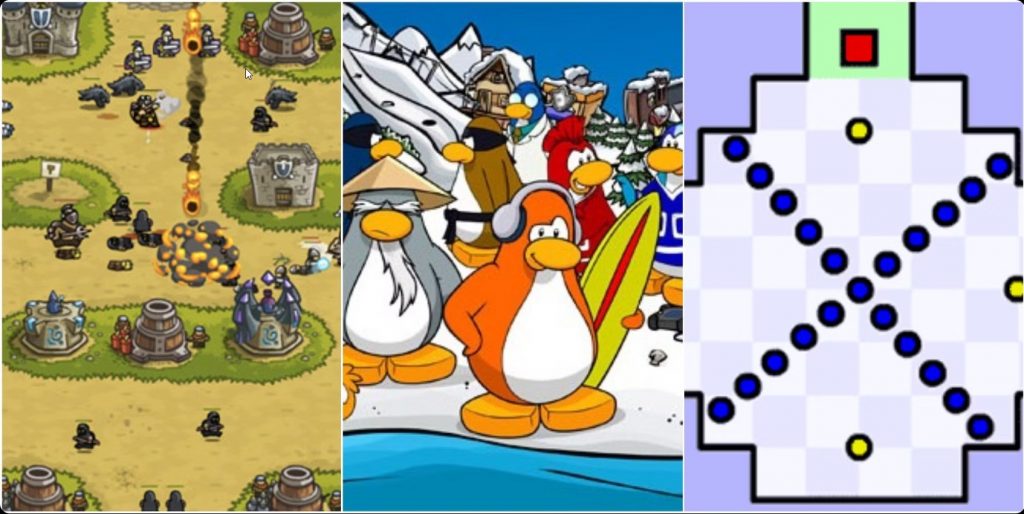

When Adobe Flash Player officially ended support on December 31, 2020, it felt like watching a library burn. Entire genres of browser-based creativity—from Homestar Runner animations to Club Penguin to countless indie games that defined internet culture—faced digital extinction. Flash Museum (flashmuseum.org) stands as a crucial preservation effort, using modern emulation technology to keep 130,000+ Flash games and animations playable, free, and accessible to anyone with a web browser.
What Is Flash Museum?
Flash Museum is a browser-based digital archive that preserves and provides access to Flash content that would otherwise be lost forever. Built using Ruffle (an open-source Flash Player emulator written in Rust and compiled to WebAssembly), the platform allows classic Flash games and animations to run on modern browsers without plugins or downloads.
The project draws from multiple preservation initiatives including BlueMaxima’s Flashpoint, Internet Archive uploads, and countless individual archivists who recognized the cultural importance of Flash content before it disappeared.
Why Flash Preservation Matters
Flash wasn’t just a plugin—it was the creative engine of Web 2.0. Between 1996 and 2020, Flash powered:
- Revolutionary Games: Browser games that launched entire genres
- Viral Animations: Content that defined internet humor and creativity
- Educational Tools: Interactive learning experiences for millions of students
- Experimental Art: Digital art forms that existed nowhere else
- Web Design: Interactive websites that pushed boundaries
When Flash ended, an estimated 87% of Flash content immediately became inaccessible. Flash Museum represents the frontline defense against this digital dark age.
How It Works
Using Flash Museum is remarkably simple:
- Visit the Website: Navigate to flashmuseum.org
- Browse the Library: Search by category or browse popular games
- Click and Play: Games load directly in your browser via Ruffle emulation
- No Downloads: Everything runs client-side using WebAssembly
The Ruffle emulator handles all Flash functionality in modern browsers—Chrome, Firefox, Edge, Safari (with some limitations)—and works on Windows, Mac, Linux, Chrome OS, iOS, iPadOS, and Android.
Featured Content
The collection spans Flash’s entire history:
- Classic Games: Learn to Fly series, Bloons Tower Defense, Super Mario Flash
- Newgrounds Classics: Portal’s legendary game collection
- Educational Content: Interactive learning tools and simulations
- Animations: Homestar Runner, Weebl & Bob, Happy Tree Friends
- Arcade Games: Flash versions of classic arcade titles
- Point-and-Click Adventures: Interactive story experiences
Key Features
- Completely Free: No subscriptions, accounts, or paywalls
- No Downloads Required: Everything runs in-browser via Ruffle
- Massive Library: 130,000+ games and animations preserved
- Universal Compatibility: Works on virtually any device with a modern browser
- Search and Browse: Find content by category, popularity, or search
- Preservation-Focused: Committed to cultural and historical archiving
- Community-Driven: Built on collaborative preservation efforts
Strengths
- Cultural Preservation: Saves irreplaceable digital heritage
- Accessibility: Makes Flash content available to everyone
- Modern Technology: Ruffle ensures compatibility without security risks
- Comprehensive Collection: One of the largest Flash archives online
- No Installation: Runs immediately in any browser
- Free Forever: Committed to open access
- Educational Value: Preserves learning resources
- Nostalgic Experience: Revisit internet history
Limitations
- Emulation Imperfections: Ruffle doesn’t perfectly recreate every Flash feature yet
- Performance Variance: Some games run slower than original Flash Player
- Incomplete Library: Not every Flash game exists in archives
- Save Limitations: Progress may not persist across sessions
- Browser Compatibility: Safari has some limitations
- No Multiplayer: Online multiplayer Flash games can’t connect to defunct servers
Technical Innovation
Ruffle represents a remarkable technical achievement. Rather than simply running old Flash Player binaries (a security nightmare), Ruffle reconstructs Flash functionality from scratch using modern, safe web technologies:
- WebAssembly: Near-native performance in browsers
- Rust Programming: Memory-safe code prevents security vulnerabilities
- Open Source: Community-audited and transparent
- No Plugins: Built on web standards
Who Should Visit Flash Museum?
- Nostalgia Seekers: Reliving childhood internet memories
- Digital Historians: Studying early web culture and game design
- Game Developers: Learning from Flash era innovations
- Educators: Accessing preserved educational content
- Casual Gamers: Discovering browser gaming history
- Younger Users: Experiencing what internet culture was like pre-smartphone
Final Verdict
Flash Museum represents more than a game archive—it’s a vital cultural preservation project ensuring that an entire era of digital creativity doesn’t vanish into the void. The internet’s collective memory depends on projects like this, maintained by passionate volunteers who understand that interactive media deserves the same archival treatment as books, films, and music.
While Ruffle emulation isn’t perfect and won’t recapture every nuance of original Flash Player, it preserves what matters most: the core experiences, creativity, and cultural artifacts that defined early web culture. For anyone interested in internet history, game design evolution, or simply wanting to revisit their digital past, Flash Museum is essential.
Visit flashmuseum.org, click through to some games that shaped your youth, and appreciate the enormous effort required to prevent digital history from disappearing entirely.
Rating: 4.5 out of 5 stars
Best for: Nostalgia enthusiasts, digital historians, game designers, educators, anyone curious about internet history
Price: Completely free
Website: flashmuseum.org